Questions and answers · Filming yourself
Is it OK to film yourself at the gym?
That's up to the gym, so read the rules or ask the staff. Whatever the rules, nobody else should be in the frame without saying yes. Place your phone so only you are in the picture, ideally with a wall behind you.
Filming yourself is the easiest way to see your technique, which is why form checks in apps use the camera. But the gym is other people's place too, and the person training next to you hasn't asked to end up in your video.
How to film without bothering anyone
- Check the rules. The gym decides whether and where you can film.
- Keep a wall behind you. Then nobody else ends up in the frame.
- Put your phone where nobody walks. On the floor to the side, not in the aisle.
- Film only your own sets. Put the phone away between them.
| What you film | Where the phone goes |
|---|---|
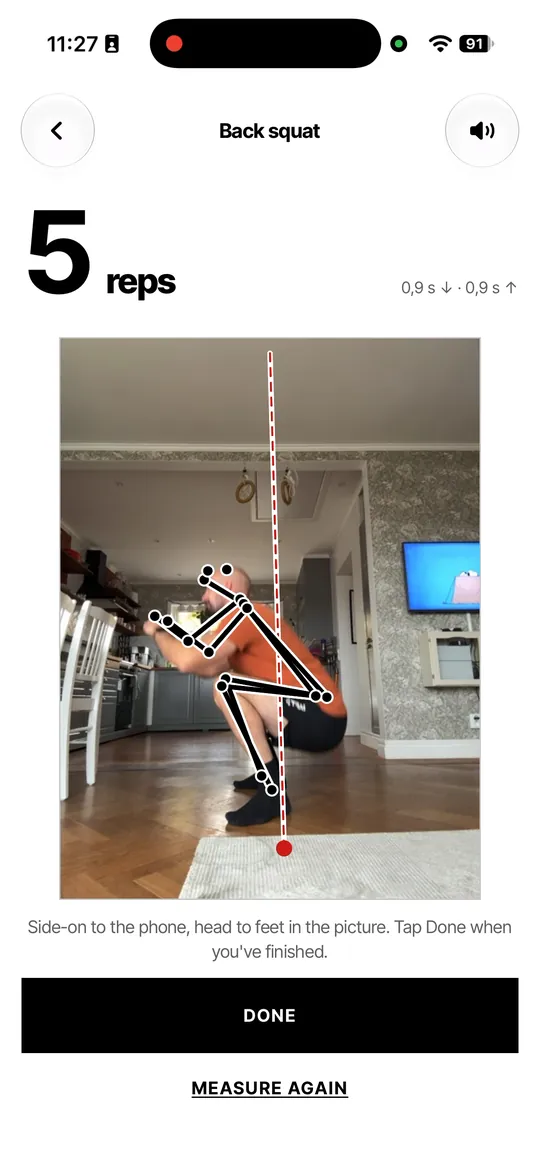
| The form check | On the floor, side-on, two to three meters away, with your whole body in the picture |
| Push-ups in the daily challenge | The front camera, with you facing the phone, about two steps away |
| Sit-ups in the daily challenge | On the floor, with your side to the phone, about two steps away |
How it works in MassBuilder
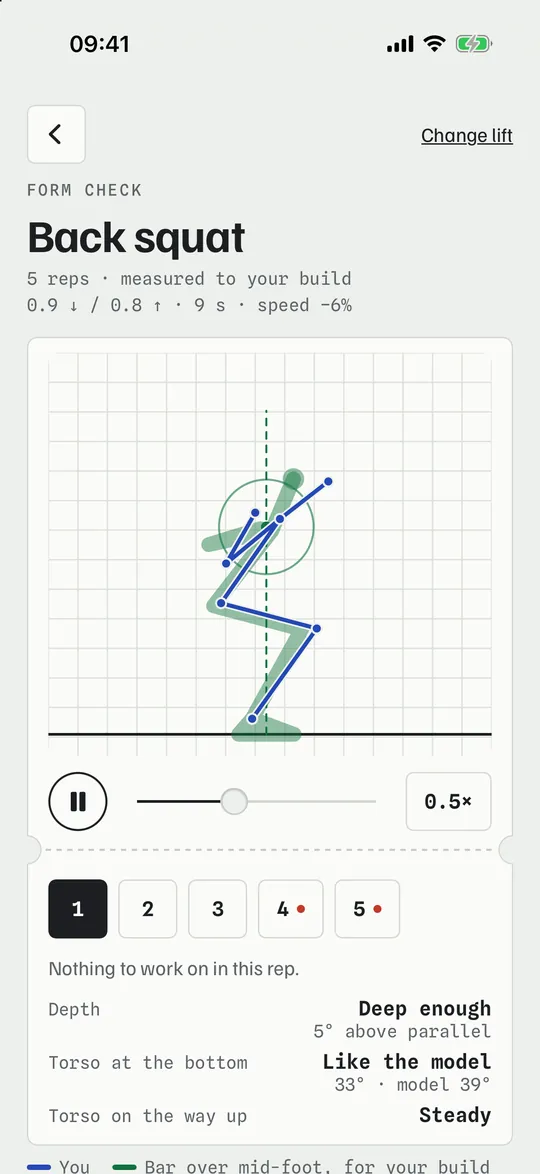
The form check starts with you standing still for a couple of seconds while the app measures your proportions. Then it counts your reps during the set. Afterwards you see every rep with your skeleton over a model built from your measurements, and up to three things to work on. If the camera can't see part of your body, the app says so instead of judging. The video is only saved if you say yes, and only on your phone.
More questions on the same thing
- How do I prop my phone up on the floor without a tripod?
- Lean it against something steady, like a water bottle, a plate or the wall, so it stands upright and doesn't move during the set. For MassBuilder's form check the phone stands on the floor, side-on, two to three meters away.
- How do I get good light when I film my workouts?
- Keep the light in front of you or to the side, not a window behind you, which turns you into a silhouette. Also avoid training in near darkness. A camera that follows your body needs to see your joints clearly.
- How far away should my phone be when I film a lift?
- For MassBuilder's form check, two to three meters, side-on, with your whole body in the picture. If the phone is too close it loses you at the bottom of the movement, and the app tells you to move it a step back.
- What needs to be in frame when I film a deadlift?
- Your whole body and the bar, from the side, so your hips, knees and back are visible through the whole lift. The deadlift is one of the eight lifts in MassBuilder's form check, and if the camera can't see part of your body, the app says so instead of judging it.
- How do I film myself working out in a small apartment?
- Place the phone as far away as the room allows and angle it so you fit. In MassBuilder's daily challenge an honest attempt is enough up to the Standard step, and at the bottom of a deep squat the rep counts even if the camera loses your knees.
- Is it embarrassing to film yourself at the gym?
- It can feel that way, but you're filming to train better, not to show off. Put the phone on the floor against the wall, film only your own sets and put it away between them. In MassBuilder's form check the video is only saved if you say yes, and only on your phone.
This answer was written with Claude and checked against the app (version 4.0) and the sources. Found a mistake? Write to oskar.ege@icloud.com.