Questions and answers · Logging and tracking
Do I need to log my workouts?
No, you don't have to. But if you want to get stronger, you need to know what you lifted last time, so you know when it's time to add weight. Writing down the exercise, weight and reps for each set is enough, on paper or in an app.
Strength comes from adding load over time, and to know when to add weight, you need to know what you did last time. Five exercises with three sets each are fifteen sets to remember per workout.
What the research says
- 138 experiments on following progress toward a goal
- 19,951 participants in those experiments
- under 60% of their one-rep max, when 30 beginners chose their own weights
A review of 138 experiments with 19,951 participants found that people who got help following their progress toward a goal came closer to it on average. The effect was moderate, and larger when progress was written down. The studies were about goals in general, mostly health goals, not training logs. Adjusted for publication bias, the effect got smaller.
In another study, 30 beginners chose their own weights in five exercises. Their weights were under 60 percent of their one-rep max, too light to build muscle and strength according to the researchers. The study was not about logging, but shows that a weight picked on the spot can end up too light.
How to do it in practice
- Write down exercise, weight and reps for every set. A notebook works, as does an app like Strong, Hevy or MassBuilder.
- Check the log before the workout. Then you know where the work sets should be.
- Decide in advance when to add weight. The American College of Sports Medicine recommends adding 2 to 10 percent when you can do one or two reps more than your target.
What it looks like in MassBuilder
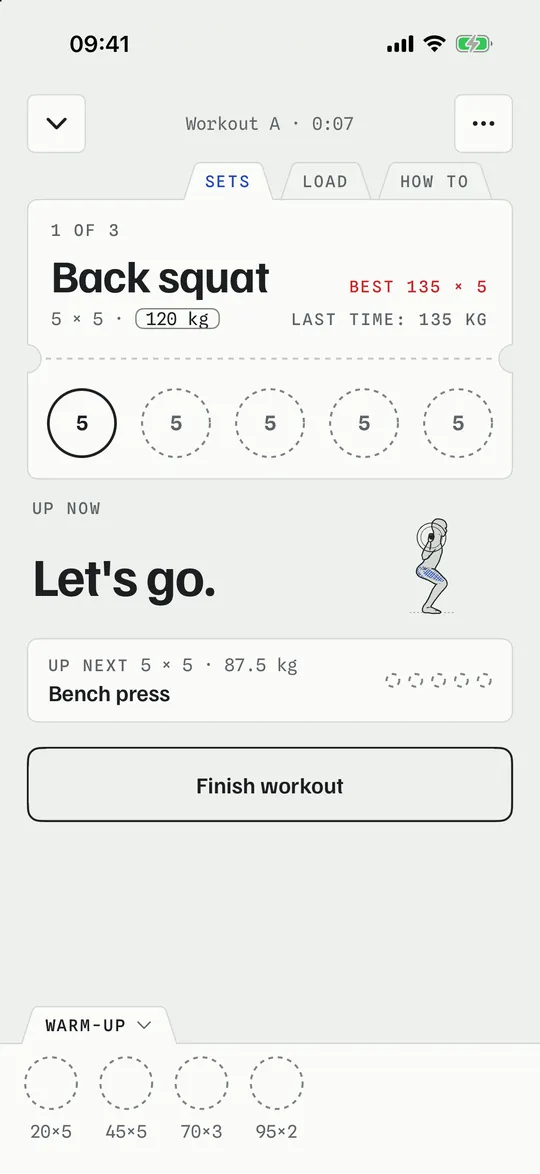
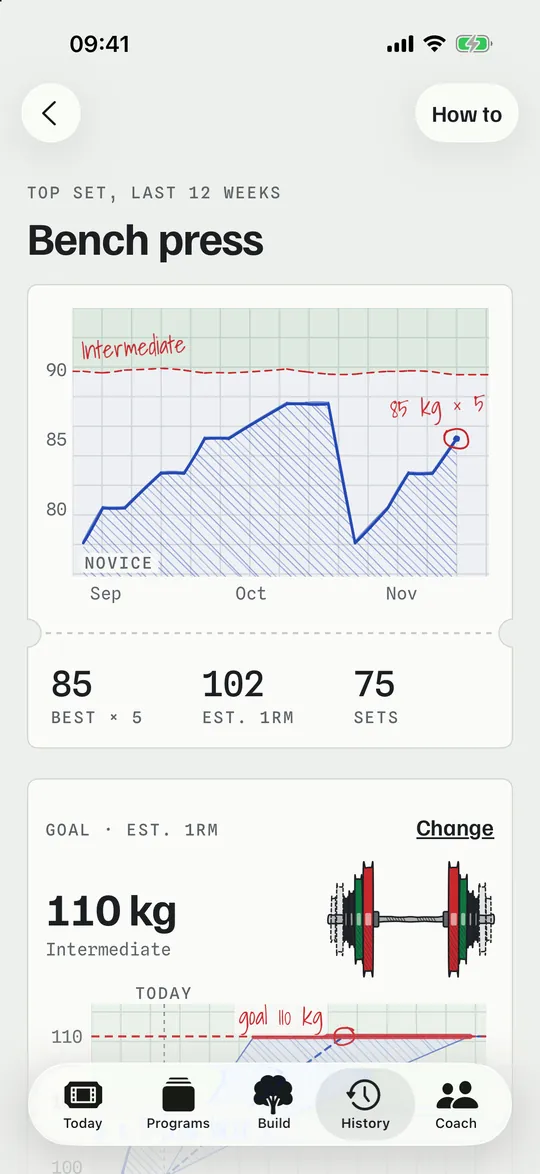
Every set is a hole on the workout card. One tap punches the hole and logs the set. Full sets mean more weight next workout, and every lift gets a graph. What the app does when a set falls short is in How much weight should I add each workout?
The app doesn't log a set unless you tap. The log is stored in your own iCloud.
More questions on the same thing
- Is a notebook enough?
- Yes. What matters is that you write down exercise, weight and reps every time and look at it before the next workout. The difference from an app like MassBuilder is that you work out the next weight yourself.
- Do I need to log if I only work out to feel good?
- No. But in the review of the 138 experiments, following your progress helped when the goal was physical activity too. In MassBuilder the challenge log counts the days in a row and all the reps in the daily challenge.
- Should I log my warm-up sets?
- What matters is the work sets, since those are the ones you add weight from. In MassBuilder the warm-up sets are worked out for you, and the Load tab shows the plates per side.
- How do I know when to add weight?
- When the log shows that you make what you were aiming for. In MassBuilder full sets mean more weight next workout, and in a rep range the reps go up first and the weight at the top. More on that in How much weight should I add each workout?
- Should I write down how hard it felt?
- It's not required. In MassBuilder you can turn on Reps in the tank and enter after each set how many reps you had left, and the last set decides. Three or more, two workouts in a row, gives a double step, and zero holds the weight one more workout without it counting as a miss.
- Where is the log stored in MassBuilder?
- In your own iCloud. The app has no account, no ads and no tracking.
Sources
- Harkin et al. (2016): Does monitoring goal progress promote goal attainment? Psychological Bulletin.
- Glass and Stanton (2004): Self-selected resistance training intensity in novice weightlifters. Journal of Strength and Conditioning Research.
- American College of Sports Medicine (2009): Progression models in resistance training for healthy adults. Medicine & Science in Sports & Exercise.
This answer was written with Claude and checked against the app (version 4.0) and the sources. Found a mistake? Write to oskar.ege@icloud.com.