Questions and answers · Training with your TV
Can I use Apple TV as a timer in my home gym?
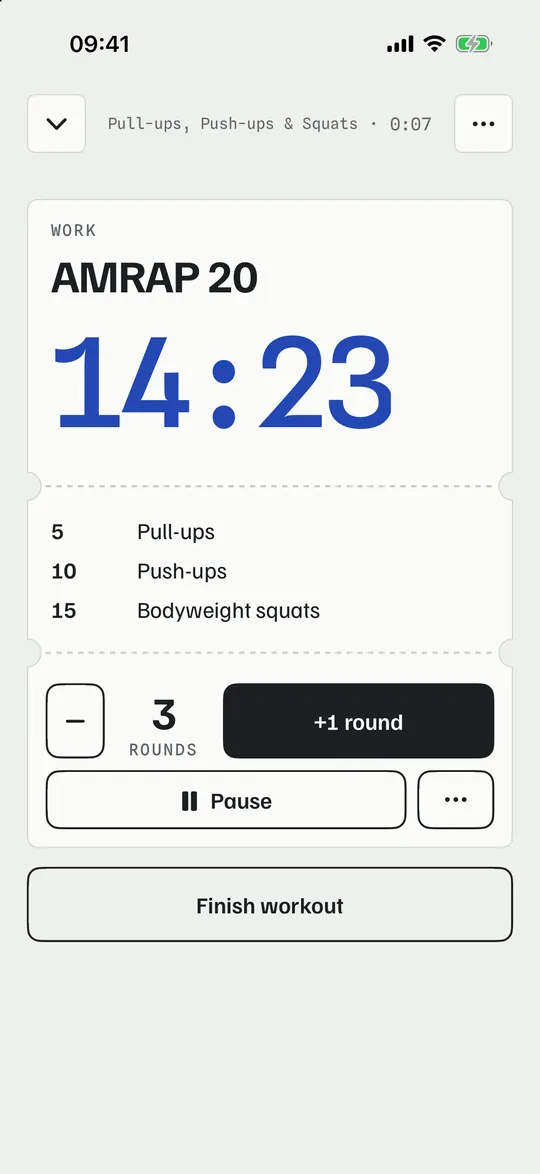
Yes, with MassBuilder on Apple TV. The WOD clock for AMRAP, EMOM, For time, intervals and Tabata stays in step on the TV, your phone and Apple Watch. During the rest in a strength workout, the TV shows the timer, the next set and the exact plates to load.
In a home gym your phone is often on the floor or in your pocket, and it's hard to read a timer on it in the middle of a set. A TV on the wall can be seen from the whole room. With the right app it becomes both your clock and your workout card.
The clocks in a home gym
| The clock | How it runs |
|---|---|
| AMRAP | As many rounds as possible in a set time |
| EMOM | A task at the start of every minute, rest for the rest of the minute |
| For time | A set amount of work as fast as possible |
| Intervals | Fixed times for work and rest |
| Tabata | 20 seconds of work and 10 seconds of rest, eight times |
How MassBuilder works on Apple TV
You can step through your sets on the TV, or let Apple TV show a workout that's running on your iPhone or iPad. You can also start your program or a ready-made workout right from the TV. The clock stays in step on Apple TV, iPhone and Apple Watch, and the classics and Run & Stations are there too. Everything syncs through your private iCloud, and your phone and TV talk to each other directly over your home network.
More questions on the same thing
- Is there a workout log for Apple TV?
- MassBuilder is on Apple TV. If you sign in on the TV with the same Apple Account as on your phone, your workouts, Fuel and weigh-ins show up there, and a workout you do on the TV is saved to the same log.
- Can the TV show which plates to load?
- Yes. During your rest, MassBuilder on Apple TV shows the workout big, with the timer, the next set and the exact plates to put on the bar.
- Can the clock on the TV and the one on my wrist stay in step?
- Yes, in MassBuilder the clock stays in step on Apple TV, iPhone and Apple Watch. Your phone and TV find each other directly over your home network, and what they send each other is encrypted and never goes through a server.
- Which interval timers does a home gym need?
- The most common are AMRAP, as many rounds as possible in a set time, EMOM, a task at the start of every minute and rest for the rest of it, For time, a set amount of work as fast as possible, intervals with fixed times for work and rest, and Tabata, 20 seconds of work and 10 seconds of rest eight times. MassBuilder's WOD clock has all five.
- Can I see my workout charts on the TV?
- Yes. On Apple TV, MassBuilder's charts fill the room: your top sets, effort, records, tonnage, the muscles you trained and your year as holes.
- How do I see my workout from across the room?
- Put the workout on the TV, or use Focus mode in MassBuilder: you lay your phone on its side, and the screen shows only the set, the weight and the rest countdown, and moves on by itself.
This answer was written with Claude and checked against the app (version 4.0) and the sources. Found a mistake? Write to oskar.ege@icloud.com.